Yoast SEO Plugin Power Play: Dominate Search Rankings on WordPress

Yoast SEO Plgin

Introduction

In the ever-evolving world of digital marketing, search engine optimization (SEO) is essential for website success. If you’re using WordPress, the Yoast SEO plugin can be a game-changer, helping you fine-tune your website for higher search rankings and better visibility. In this guide, we’ll dive deep into the power of Yoast SEO and how you can leverage it to dominate search rankings.

What is the Yoast SEO Plugin?

Yoast SEO is one of the most popular WordPress plugins designed to help website owners optimize their content for search engines. Whether you’re a beginner or an experienced SEO expert, this plugin offers tools to enhance on-page SEO, improve readability, and implement technical SEO effortlessly.

Free vs. Premium Version

  • The free version includes essential SEO features like keyword optimization, meta descriptions, and readability checks.
  • The premium version offers additional benefits like multiple focus keywords, internal linking suggestions, and redirect management for advanced optimization.

Why Choose Yoast SEO for Your WordPress Website?

  • User-Friendly Interface – No coding required; easy-to-use dashboard.
  • Real-Time Content Analysis – Provides instant feedback on SEO and readability.
  • Meta Title & Description Optimization – Helps you craft compelling snippets for higher CTR (Click-Through Rates).

How to Install and Set Up Yoast SEO Plugin

  1. Log in to your WordPress dashboard.
  2. Navigate to Plugins > Add New.
  3. Search for “Yoast SEO” and click Install Now.
  4. Once installed, click Activate.
  5. Go to SEO > General to configure the basic settings.

Yoast SEO Dashboard Overview

  • General Settings: Adjust site-wide SEO settings.
  • Search Appearance: Control how your website appears in search results.
  • Social Media Integration: Optimize your content for Facebook, Twitter, and more.

On-Page SEO Optimization with Yoast SEO

Yoast SEO provides a simple yet effective way to optimize individual posts and pages:

  • Add a Focus Keyphrase for targeting specific keywords.
  • Optimize Meta Title & Description for better click-through rates.
  • Ensure the URL is SEO-friendly (short and keyword-rich).

Content Readability Enhancement

Yoast SEO helps improve the readability of your content by:

  • Flesch Reading Ease score – Encourages simpler sentence structures.
  • Reducing Passive Voice – Makes your content more engaging.
  • Using Transition Words – Enhances flow and readability.

Technical SEO Features in Yoast SEO

  • XML Sitemaps – Helps search engines crawl your site efficiently.
  • Robots.txt Control – Customizes which pages search engines should index.
  • Canonical URLs – Prevents duplicate content issues.

Schema Markup Integration

Structured data improves your visibility in search results. With Yoast SEO, you can:

  • Add FAQ schema for rich snippets.
  • Implement Article and Breadcrumb schema automatically.

Optimizing Images with Yoast SEO

  • Add ALT Text to improve accessibility and image search rankings.
  • Optimize file names and image sizes for faster loading times.

Yoast SEO for Local SEO Optimization

  • Uses Local Business Schema to enhance local search visibility.
  • Helps optimize Google My Business listings for better rankings.

Yoast SEO and Internal Linking Strategy

  • Encourages strategic internal linking to boost SEO.
  • Offers internal link suggestions for better site structure.

Common Yoast SEO Mistakes and How to Avoid Them

  • Overstuffing keywords – Aim for natural keyword integration.
  • Ignoring readability analysis – Ensure content is easy to read and engaging.

Yoast SEO Premium: Is It Worth It?

  • Premium features include multiple focus keywords, internal link suggestions, and 24/7 customer support.
  • If you’re serious about SEO, Yoast Premium can provide additional value for better rankings and performance.

Conclusion

Yoast SEO is a powerful WordPress plugin that helps website owners optimize content effortlessly. Whether you’re focusing on on-page SEO, technical SEO, or readability, Yoast SEO has the tools you need to boost your search rankings and traffic.

FAQs

1. How often should I update my SEO settings?

SEO is dynamic, so review and update your settings at least once every few months.

2. Does Yoast SEO guarantee first-page rankings?

No plugin can guarantee rankings, but Yoast SEO significantly improves your chances.

3. Can I use Yoast SEO for an eCommerce website?

Yes! It works great with WooCommerce and other eCommerce platforms.

4. How does Yoast SEO compare to other SEO plugins?

Yoast SEO is one of the most comprehensive plugins, but alternatives like Rank Math and All-in-One SEO also offer strong features.

5. What is the best alternative to Yoast SEO?

Rank Math is a popular alternative with advanced features and a user-friendly interface.

Read More:

Best SEO Plugin for WordPress 2025

Rank Math Plugin: The Ultimate WordPress SEO Powerhouse

RankMath Demystified: Clarity to a Few Unanswered Questions

RankMath Demystified in the world of wordpress

Introduction

When it comes to SEO, RankMath has taken the WordPress world by storm. It’s an all-in-one SEO plugin designed to make optimizing your website easier than ever. But despite its powerful features, many users still have questions about how to use it effectively. In this guide, we’ll break down everything you need to know about RankMath, from installation to advanced features.

How to Use RankMath?

Getting started with RankMath is simple. Here’s how:

1. Installing and Activating RankMath

  • Go to your WordPress dashboard.
  • Navigate to Plugins > Add New and search for “RankMath.”
  • Click Install Now, then Activate the plugin.

2. Setting Up the Plugin Using the Setup Wizard

  • After activation, RankMath will guide you through its setup wizard.
  • Connect your RankMath account for additional features.
  • Choose your website type and configure basic SEO settings.

3. Optimizing Posts and Pages with RankMath

  • Open any post or page and look for the RankMath meta box.
  • Follow its suggestions for better keyword usage, readability, and meta descriptions.

How to Add Canonical Tag in WordPress RankMath?

Canonical tags help prevent duplicate content issues. Here’s how to add one using RankMath:

  1. Edit the post or page where you want to add a canonical tag.
  2. Scroll to the RankMath SEO settings below the content editor.
  3. Click on the Advanced tab.
  4. In the Canonical URL field, enter the preferred URL.
  5. Save or update the post.

How to Edit robots.txt in WordPress RankMath?

The robots.txt file tells search engines which pages to crawl and which to ignore. To edit it in RankMath:

  1. Go to RankMath > General Settings in your WordPress dashboard.
  2. Select the Edit robots.txt option.
  3. Modify the file as needed, ensuring you don’t block essential pages.
  4. Save the changes.

How to Subscribe RankMath and Cancel RankMath Subscription?

Subscribing to RankMath

  • Visit RankMath’s official website.
  • Choose between Free, Pro, Business, or Agency plans.
  • Enter your payment details and complete the subscription.

Canceling Your RankMath Subscription

  • Log into your RankMath account.
  • Go to the Billing & Subscription section.
  • Click Cancel Subscription and confirm the action.

How to Switch from Yoast to RankMath?

Migrating from Yoast is easy:

  1. Install and activate RankMath.
  2. Open the RankMath setup wizard.
  3. Select Import from Yoast and follow the steps.
  4. Review the settings and finalize the migration.

RankMath Content AI

RankMath Content AI is an intelligent tool that helps with content optimization. It:

  • Provides keyword suggestions.
  • Analyzes readability.
  • Helps create SEO-friendly content.

RankMath Local SEO

For businesses targeting local customers, RankMath offers powerful Local SEO features:

  • Easily add NAP (Name, Address, Phone Number) data.
  • Integrate Google My Business.
  • Optimize for location-based searches.

RankMath Pricing

RankMath offers various pricing plans:

  • Free – Basic SEO features.
  • Pro ($59/year) – Advanced features for single sites.
  • Business ($199/year) – For multiple client websites.
  • Agency ($499/year) – For large-scale agencies.

RankMath AI

RankMath AI helps automate SEO tasks, including:

  • Generating meta descriptions.
  • Suggesting internal links.
  • Providing data-driven insights.

RankMath Login

Logging into RankMath is straightforward:

  • Visit RankMath.com and click Login.
  • Enter your email and password.
  • If you forget your password, use the reset option.

Advanced Features of RankMath

Some standout features include:

  • Schema markup support.
  • Automatic 404 error detection and redirection.
  • XML sitemap generation.

Common Issues and Fixes in RankMath

Some users face occasional issues, such as:

  • Meta title not updating: Clear the cache and try again.
  • RankMath not appearing in the editor: Reinstall the plugin.

RankMath vs. Other SEO Plugins

Compared to Yoast and All-in-One SEO, RankMath offers:

  • More free features.
  • A better UI.
  • Built-in AI and Schema support.

Conclusion

RankMath is a powerful SEO plugin that simplifies website optimization. Whether you’re a beginner or an SEO pro, it offers everything you need to rank higher on search engines.

FAQs

1. Is RankMath better than Yoast?

Yes, RankMath offers more free features and better AI integration.

2. Does RankMath slow down websites?

No, it’s lightweight and optimized for speed.

3. Can I use RankMath for free?

Yes, RankMath has a free version with essential SEO tools.

4. How do I integrate RankMath with Google Search Console?

Go to RankMath > General Settings > Webmaster Tools and add your verification code.

5. Is RankMath suitable for beginners?

Absolutely! The setup wizard makes it beginner-friendly.

Read More:

Rank Math Plugin: The Ultimate WordPress SEO Powerhouse

Best SEO Plugin for WordPress 2025

Rank Math Plugin: The Ultimate WordPress SEO Powerhouse

Rank Math Plugin

Introduction

Search Engine Optimization (SEO) is the key to getting more traffic to your WordPress website. If you’re looking for a powerful SEO plugin, Rank Math Plugin is a game-changer. Known for its advanced features, ease of use, and automation, Rank Math helps you optimize your site like a pro.

But what makes it stand out from other plugins? Let’s dive into why Rank Math is the ultimate WordPress SEO powerhouse.

What is Rank Math?

Rank Math is an all-in-one SEO plugin designed to improve your website’s ranking in search engines. Unlike other SEO tools, Rank Math offers more advanced features for free, making it one of the most preferred plugins among WordPress users.

How Does It Compare to Other SEO Plugins?

Rank Math competes directly with Yoast SEO and All in One SEO, but it provides extra features like built-in schema markup, keyword tracking, and AI-based suggestions, often requiring premium versions in other plugins.

Key Features of Rank Math

SEABUCK DIGITAL

1. Easy Setup Wizard

Rank Math makes it super easy to configure SEO settings with its step-by-step setup wizard. It automatically detects your site’s settings and recommends the best SEO configurations.

2. Advanced SEO Analysis

With Rank Math’s built-in SEO analyzer, you can get detailed insights into your website’s optimization level and find ways to improve your rankings.

3. Keyword Optimization

Unlike other plugins that allow only one keyword per post, Rank Math lets you optimize for multiple focus keywords, boosting your chances of ranking higher.

4. Schema Markup (Rich Snippets)

Rank Math has a built-in Schema Markup Generator, making it easy to add structured data like FAQ schema, review schema, recipe schema, and more.

5. XML Sitemaps & Instant Indexing

It automatically generates XML sitemaps and supports Google’s Instant Indexing API, helping your content get indexed faster.

6. Redirection Manager

Rank Math’s built-in redirection tool lets you create 301 and 302 redirects, preventing broken links that could harm your SEO.

7. 404 Error Monitoring

Find and fix broken links easily with Rank Math’s 404 Monitor, improving user experience and SEO health.

8. WooCommerce SEO Features

For eCommerce sites, Rank Math offers WooCommerce SEO tools, allowing better product optimization and schema integration.

How to Install and Set Up Rank Math

1. Installing the Plugin

  • Go to Plugins > Add New in your WordPress dashboard.
  • Search for “Rank Math” and click Install Now.
  • Activate the plugin once installed.

2. Running the Setup Wizard

After activation, Rank Math provides an easy-to-follow setup wizard to configure essential SEO settings in just a few clicks.

3. Configuring Basic SEO Settings

  • Set up meta titles and descriptions
  • Enable or disable SEO modules (like Local SEO, WooCommerce SEO, and Schema)
  • Connect your site to Google Search Console

Optimizing Content with Rank Math

1. Using the Focus Keyword Feature

Rank Math allows you to optimize content by adding multiple focus keywords, ensuring better keyword density and relevance.

2. Writing SEO-friendly Meta Titles & Descriptions

Rank Math provides real-time SEO suggestions for writing compelling meta titles and descriptions, increasing click-through rates.

3. Internal Linking Suggestions

Rank Math automatically suggests internal links, improving site structure and user experience.

Rank Math Free vs. Pro – Which One Should You Choose?

The free version of Rank Math includes most SEO features, but the Pro version unlocks AI-based content suggestions, advanced schema customization, and keyword tracking. If you’re serious about SEO, the Pro version is worth it.

Pros and Cons of Using Rank Math

Pros:

  • Free version offers more features than competitors
  • Easy-to-use interface
  • Built-in schema and redirection manager
  • Lightweight and fast compared to Yoast

Cons:

  • Some advanced features require Pro version
  • Can be overwhelming for beginners

Rank Math vs. Yoast SEO – Which One is Better?

  • Rank Math offers more features for free, while Yoast limits features in the free version.
  • Rank Math is lighter and faster, improving website speed.
  • Yoast SEO has been around longer, but Rank Math provides more modern features.

Common Rank Math Issues and How to Fix Them

1. Sitemap Errors

  • Ensure that XML sitemaps are enabled in Rank Math settings.
  • Resubmit your sitemap in Google Search Console.

2. Schema Markup Not Displaying

  • Check if schema is enabled for your post type.
  • Use Google’s Structured Data Testing Tool to debug.

3. SEO Score Not Updating

  • Clear browser cache and refresh the editor.
  • Ensure the focus keyword is properly placed.

Conclusion

Rank Math is a powerful and feature-rich SEO plugin for WordPress. Whether you’re a beginner or an experienced SEO expert, Rank Math provides all the tools you need to boost your rankings effortlessly.

FAQs

Is Rank Math better than Yoast?

Yes, Rank Math offers more features for free compared to Yoast.

Does Rank Math slow down my website?

No, Rank Math is lightweight and optimized for speed.

Is Rank Math good for beginners?

Yes, Rank Math has an easy-to-use setup wizard and helpful recommendations.

Can I use Rank Math on multiple websites?

Yes, you can install Rank Math on multiple WordPress sites.

How often does Rank Math get updated?

Rank Math receives regular updates to keep up with SEO trends.

Read More:

Best SEO Plugin for WordPress 2025

Top 5 Best WordPress Hosting in India 2025

Best SEO Plugin for WordPress 2025: Top Choices for Higher Rankings

SEO Plugin for WordPress
Source: Pixabay

Introduction

SEO is crucial for driving traffic to your WordPress website. With so many SEO plugins available, choosing the best SEO plugin for WordPress for 2025 can be overwhelming. In this guide, we’ll break down the top SEO plugins, their features, and how they can help boost your site’s rankings.

Why Do You Need an SEO Plugin?

Benefits of SEO for Your Website

SEO (Search Engine Optimization) is the key to getting more organic traffic. A well-optimized site ranks higher in search engines, leading to better visibility, more clicks, and increased revenue.

How SEO Plugins Simplify Optimization

Instead of manually tweaking every SEO setting, plugins automate the process, providing recommendations, keyword analysis, and technical improvements to boost rankings.

Key Features to Look for in an SEO Plugin

On-Page Optimization Tools

A good SEO plugin should help optimize meta titles, descriptions, and headings to improve search engine visibility.

Keyword Research and Integration

Plugins like Rank Math and Yoast SEO offer built-in keyword suggestions, making content optimization easier.

XML Sitemap Generation

XML sitemaps help search engines crawl and index your site more efficiently. Most SEO plugins automatically generate and update sitemaps.

Schema Markup and Rich Snippets

Schema markup helps enhance search results with rich snippets, increasing CTR (Click-Through Rate).

Site Speed and Performance Enhancements

A fast website improves rankings. Some SEO plugins include performance optimization features like caching and image compression.

Best SEO Plugins for WordPress in 2025

1. Yoast SEO – Best for Beginners

  • Easy-to-use interface
  • Readability and SEO analysis
  • Automatic XML sitemaps
  • Basic schema markup support

2. Rank Math – Best for Advanced Users

  • AI-powered SEO suggestions
  • Detailed keyword tracking
  • Advanced schema markup
  • Google Search Console integration

3. All in One SEO – Best for Ease of Use

  • Simple and user-friendly
  • WooCommerce SEO features
  • Social media integration
  • Local SEO optimization

4. SEOPress – Best for Customization

  • No ads or tracking
  • White-label branding
  • Advanced redirects manager
  • Full schema markup control

5. Squirrly SEO – Best AI-Powered Plugin

  • AI-driven keyword research
  • Live SEO assistant
  • Automatic content optimization
  • Google ranking tracking

Comparing the Best SEO Plugins

PluginBest ForPrice (Free/Premium)Key Features
Yoast SEOBeginnersFree / $99+On-page SEO, Readability Analysis
Rank MathAdvanced UsersFree / $59+AI SEO, Schema Markup, Keyword Tracking
All in One SEOEase of UseFree / $49+WooCommerce SEO, Social Media Tools
SEOPressCustomizationFree / $39+White-label, Schema Markup
Squirrly SEOAI OptimizationFree / $29+AI SEO, Content Optimization


How to Choose the Right SEO Plugin for Your Site

Factors to Consider

  • Your experience level (beginner or advanced)
  • Features needed (schema, sitemaps, social integration)
  • Pricing and budget
  • Ease of use and setup

Best Plugin for Different Types of Websites

  • Blogs & Small Businesses → Yoast SEO
  • E-commerce & WooCommerce → All in One SEO
  • Enterprise & Advanced SEO → Rank Math
  • Customizable Solutions → SEOPress
  • AI-powered Content SEO → Squirrly SEO

Installing and Setting Up an SEO Plugin

Step-by-Step Installation Guide

  1. Go to Plugins > Add New in WordPress.
  2. Search for your preferred SEO plugin.
  3. Click Install Now and then Activate.

Essential Settings to Configure

  • Set up meta titles and descriptions
  • Enable XML sitemaps
  • Connect to Google Search Console
  • Optimize permalink structure

Conclusion

Choosing the right SEO plugin in 2025 depends on your needs. Whether you’re a beginner looking for simplicity or an advanced user needing AI-powered tools, there’s a perfect SEO plugin for you. Install the right one today and watch your site climb the search engine rankings!

FAQs

1. What is the best free SEO plugin for WordPress?

Rank Math and Yoast SEO offer powerful free versions, making them the best choices for most users.

2. Do I need more than one SEO plugin?

No, using multiple SEO plugins can cause conflicts. Choose one that meets all your needs.

3. Can SEO plugins guarantee first-page rankings?

No plugin can guarantee rankings, but they provide tools to optimize your site and improve your chances.

4. Which SEO plugin is best for WooCommerce?

All in One SEO and Rank Math have great WooCommerce-specific SEO features.

5. Are SEO plugins worth it?

Yes! They simplify SEO tasks, making it easier to rank higher without technical knowledge.

Read More:

How WordPress Hosting Choices Impact Your SEO Performance

SEO on a Shoestring: Affordable WordPress Hosting

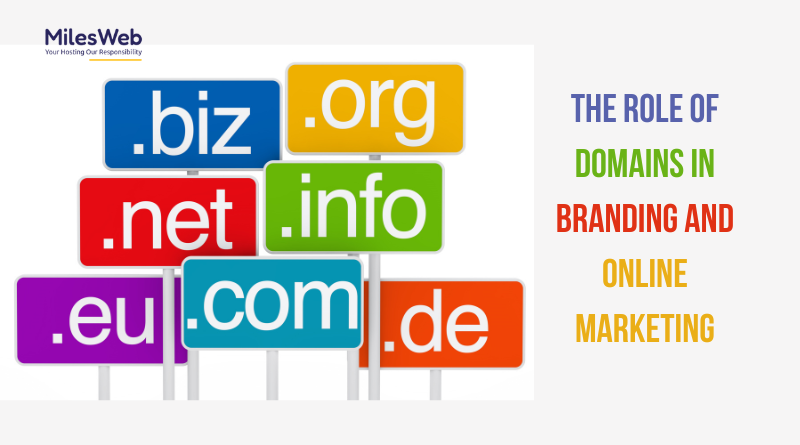
The Role Of Domains In Branding And Online Marketing

Domain Name

Introduction

Seeing an unclear web address when you search for an online business will frustrate anyone trying to use it. Frustrating, right? When they see their distinctive domain names, people immediately trust famous brands like Apple and Amazon. You must choose an ideal domain name and the cheapest web hosting per year to quickly develop robust online recognition.

By paying a one year hosting price, a strong online presence will help you improve brand memory, gain customer trust, and win better search results. Selecting a unique domain name allows customers to locate your product easily and choose your brand over others. This discussion explains how domains affect both branding and internet commercial tactics.

The Power of a Strong Domain Name in Branding

Your brand reaches customers for the first time when they encounter the domain name. Customers can more easily recollect your brand presence through this domain, seeing its immediate industry alignment and personality. A powerful domain name serves multiple functions in branding.

  1. Enhances Brand Recognition and Recall

People remember short and easy-to-pronounce brand-focused domain names more easily.  Customers recognize the brands Nike.com and Tesla.com right when they see them, which helps them return to the brands easily.

  1. Builds Credibility and Trust

A professional domain name boosts customer confidence. Consumers are more likely to trust a business with the proper domain (ex, YourBrand.com) rather than a generic or free domain extension (ex, YourBrand.freewebsite.com). It signals legitimacy and professional brand value.

  1. Strengthens Brand Identity

A domain name helps reinforce your brand’s identity by incorporating key elements like your company name, slogan, or primary service. For instance, EcoFriendlyStore.com instantly conveys the brand’s focus on sustainability.

Domains as a Key Tool in Online Marketing

Apart from banding, a domain name plays a pivotal role in digital marketing strategies, including search engine optimization (SEO), advertising, and social media presence.

  1. Boosts SEO Rankings

A domain name with the right keyword set boosts SEO ranking possibilities. It makes it easier for your websites to appear in top search engine results. For example, a domain like BestCakesBakery.com might enhance search visibility if you run a bakery.

  1. Enhances Click-Through Rates (CTR)

A domain name organized correctly leads users to click more often on search engine results and advertising. A suitable domain name helps users detect and click on your site to learn about your products or services.

  1. Simplifies Digital Advertising and Retargeting

Focusing ads in PPC campaigns works better when the domain name stays direct and easy to understand. A direct, easy-to-understand domain name increases audience engagement, as do longer and more difficult URLs.

  1. Improves Social Media Integration

When your brand domain name matches your social media profiles, users can easily recognize and connect with you on multiple platforms. Your customers will find you across all platforms more easily when you have a matching domain name, strengthening how people recognize your brand.

Choosing the Right Domain Name for Success

  1. Keep It Short and Memorable

A short domain name means there is less chance of typos. Customers prefer simple, easy-to-type domains that they recall effortlessly. Avoid using complex words or unnecessary characters, as they make the domain harder to remember and spell correctly.

Shorter domain names are also easier to integrate across branding materials, like business cards and advertisements. The simpler your domain, the more user-friendly it is for potential customers.

  1. Use Relevant Keywords

Including industry-related keywords in the domain name can enhance search engine rankings and attract the right audience. Keywords help search engines understand your website’s niche, making it easier for users to find the business online.

Avoid keyword stuffing, as it makes the domain sound generic and spammy. Instead, follow the balanced approach, combining keywords with a unique brand identity to create a compelling domain name.

  1. Choose the Right Extension

The domain extensions (TLD) you select play a crucial role in branding and online visibility. While .com remains the most popular and trusted extension, industry-specific alternatives like .tech, .store, and .online can add credibility to niche businesses.

Selecting the right TLD ensures your domain aligns with the business type. For instance, a nonprofit organization might benefit from a .org extension, while a tech startup could opt for .io to appeal to a tech-savvy audience.

Conclusion

Your domain name is a vital part of your branding and marketing strategy. It defines your online presence, influences consumer perception, and drives digital marketing success. A strong, memorable, and keyword-rich domain name enhances brand credibility, boosts search visibility, and strengthens customer trust.

If you’re building a business, investing in the right domain is one of the most strategic decisions you can make. So, choose wisely and let your domain name be the foundation of your brand’s digital journey!

Read More:

Top 5 Best WordPress Hosting in India 2025

Skyrocket Growth: Mastering Product-Led SaaS Marketing

The Importance Of Email Marketing For Website Owners

EMAIL MARKETING
EMAIL MARKETING

Introduction

Every marketing effort counts. Email is one of the effective mediums to get clients onboard directly from their mailbox. Mostly, people check their emails every day, which makes email marketing one significant way to grow business. If you are promoting NVMe web hosting, email marketing allows you to target potential customers effectively.

Email marketing allows you to stay in touch and communicate with current customers. Also, it helps in reaching new customers. Whether it is a small business or a large enterprise, email marketing is an effective digital marketing strategy. From increasing brand awareness to building strong customer relationships or cheap React hosting, there are several email marketing benefits.

Why is Email Marketing Important?

  1. High ROI

Email marketing produces excellent returns because the campaigns offer substantial benefits compared to their low start-up costs. Starting email marketing requires little investment and generates significant returns. Despite small start-up costs, email marketing enables businesses to generate income effectively.

Your email subscribers choose to listen to your business, so you already have a group ready to benefit from email marketing. When you set up email marketing campaigns, all you need to generate sales is a basic buying request and a checkout URL.

  1. Generates Traffic To Your Website

Having a website is one thing, but its promotion adds value to its marketing. A successful website promotion strategy depends on email marketing. Email marketing enhances website traffic by allowing you to add clear website links to your messages.

Several methods exist for email marketing to persuade subscribers to access your website. Each week, you share your business news through email to readers who can follow the link to your latest website post about the subject. The best way to promote special promotions is by emailing your product information because this helps attract customers to view your website.

  1. Strengthens Relationships With Customers

A successful business owner has strong customer relationships Email marketing is the best medium to connect with customers directly. Its mail marketing enhances communication with the audience and builds customer loyalty.

our customers appreciate knowing they are on your mind. Sending them targeted emails regularly is one of the most effective ways to stay engaged and maintain a strong connection. However, you can strengthen the relationship not only with your current customers but also with potential customers.

  1. Cost-effective

Companies with limited marketing budgets find email promotion very affordable to start. Email marketing offers an initial free service and incurs expenses solely through complex project work or mass email delivery. It proves its value thanks to its lower costs compared to TV promotion and using popular individuals for marketing purposes. By using email marketing, you will receive significant results at a minimum price.

  1. Get Immediate Results

Through email marketing, businesses discover outcome data right away. Other promoting approaches deliver results over periods of weeks, but email marketing demonstrates immediate results. The rewards appear fast, and you can easily measure them.

To see if your emails perform well you need to track key performance indicators which include bounce rate click-through rate and unsubscribe rate. Every email platform shows these performance indicators clearly so you can determine if something needs changing or continue the same approach.

  1. Find Quality Leads

Another benefit of email marketing is that it helps you find quality leads. There’s nothing worse than wasting your time on an unqualified lead who was never even going to become the customer the first time.

Your email campaigns help you concentrate on contacts who show strong purchase potential. Through email marketing, you can track leads to find those who will convert into better future customers.

  1. Increase Engagement on Social Media

Do you need methods to improve your social media standing and encourage people to interact with your posts? Try email marketing. It effectively produces new visits to your website and social media websites.

Email marketing offers the chance to share social profiles and drive subscribers to connect with your brand on different platforms or sign up for discounts. You should link your email marketing plans to social media activities to bring users from various platforms into your marketing world.

  1. Better Communication

Communication is vital when it comes to having a good bond with the customers. But communicating is tough, especially if you have a diverse customer base with different requirements.

Email marketing allows you to connect more easily with your audience members. You can also create messages customised for individual recipients, strengthening the bond with customers and boosting their support for the brand. Your customers seek assurance that you stand with them, and email customization offers the best way to demonstrate this support.

Summing Up

Email marketing remains one of the most powerful tools for website owners to engage with their audience, build lasting relationships, and drive conversions. Unlike social media platforms that rely on changing algorithms, email marketing provides direct communication with subscribers, ensuring your messages reach their inboxes.

By crafting compelling content, personalizing messages, and maintaining a consistent email strategy, website owners can enhance customer loyalty, increase traffic, and boost sales. Whether you’re a small business, a blogger, or an e-commerce store owner, investing in email marketing can yield significant long-term benefits.

Read More:

Email Marketing Automation

Generative AI is Revolutionizing Digital Marketing & SEO

The Ultimate Local SEO Checklist for 2025

Ultimate Local SEO Checklist 2025
SEO CHECKLIST (Source: PIXABAY)

Introduction

Local SEO is more important than ever in 2025, with businesses striving to enhance their online visibility for local customers. Whether you’re a small business owner, a marketer, or an entrepreneur, optimizing your website and digital presence for local search can significantly impact your sales and customer engagement. This guide provides an in-depth Local SEO checklist to help you dominate local search rankings and attract more customers.

1. Google Business Profile (GBP) Optimization

Your Google Business Profile (GBP) is one of the most critical elements for local SEO. It helps your business appear in Google Maps, local search results, and the “Local Pack.”

  • Claim and Verify Your GBP: Ensure you have claimed and verified your business profile through Google to gain full access to its features.
  • Ensure NAP Consistency: Your Name, Address, and Phone Number (NAP) must be consistent across all platforms to avoid confusion and improve credibility.
  • Add a Detailed Business Description: Write a compelling and keyword-optimized description that clearly explains your business, services, and unique selling points.
  • Select Relevant Business Categories: Choose the most accurate business categories to help Google understand your services better.
  • Upload High-Quality Images and Videos: Adding images of your storefront, products, services, and team can boost engagement and credibility.
  • Set Accurate Business Hours: Ensure your operating hours, including holiday schedules, are updated to avoid misinforming customers.
  • Regularly Post Updates and Offers: Utilize the GBP posting feature to share updates, promotions, or events to keep your audience engaged.
  • Enable Messaging: Allow customers to contact you directly through Google for quicker interactions.
  • Gather and Respond to Reviews: Encourage satisfied customers to leave positive reviews and respond professionally to both positive and negative feedback.

Example: A local bakery named “Sweet Treats” ensures its GBP is updated with high-quality images of cakes, an accurate menu, and business hours, leading to a 30% increase in foot traffic.

2. Website Optimization for Local SEO

Your website should be optimized for local search to improve its visibility and user experience.

  • Use Location-Specific Keywords: Integrate keywords like “best coffee shop in New York” in titles, meta descriptions, and content.
  • Optimize URL Structure: Use SEO-friendly URLs such as www.example.com/new-york-bakery instead of generic ones.
  • Embed Google Maps: Add a Google Map to your Contact page to help customers locate you easily.
  • Create Dedicated Location Pages: If you operate in multiple locations, create separate landing pages optimized for each area.
  • Implement Schema Markup: Use structured data like LocalBusiness, Reviews, and FAQs to improve search result appearance.
  • Optimize for Mobile-Friendliness: Since most local searches happen on mobile, ensure your site is responsive and loads quickly.
  • Secure Your Website with HTTPS: Security is a ranking factor, and HTTPS ensures safe browsing.

Example: A plumber in Los Angeles added structured data and optimized for mobile, improving their rankings and getting 50% more inquiries.

3. Local Content Strategy

Creating content tailored for a local audience helps attract relevant traffic.

  • Publish Local Blog Posts: Write about local events, industry trends, and news to engage your community.
  • Create Location-Based Landing Pages: Target different neighborhoods or cities with customized service pages.
  • Add Customer Testimonials: Showcase real customer experiences with their city or area mentioned.
  • Include Local FAQs: Answer common questions related to your business and location.

Example: A fitness center in Chicago writes blog posts about “Best Running Trails in Chicago,” attracting fitness enthusiasts.

4. Online Directories & Citations

Getting listed on online directories helps improve credibility and rankings.

  • Submit to Local Directories: Register your business on Yelp, Yellow Pages, and TripAdvisor.
  • Ensure NAP Consistency: Make sure your business details are identical across all listings.
  • Get Listed in Industry-Specific Directories: Restaurants should be on OpenTable, doctors on Healthgrades, etc.
  • Regularly Update Listings: Keep your business information accurate and current.

Example: A dentist in Texas listed their practice on multiple healthcare directories, resulting in 40% more online bookings.

5. Reviews & Reputation Management

Reviews play a crucial role in building trust and improving local rankings.

  • Encourage Happy Customers to Leave Reviews: Politely ask satisfied customers to review your business on Google and Yelp.
  • Respond to All Reviews: Thank customers for positive feedback and address negative reviews professionally.
  • Monitor Your Reputation: Use tools like BrightLocal or ReviewTrackers to keep track of online reviews.

Example: A hotel in Miami actively responded to reviews, increasing their overall rating from 3.5 to 4.7 stars.

6. Local Link Building

Building links from local sources strengthens your SEO.

  • Partner with Local Businesses: Exchange backlinks with nearby businesses.
  • Get Featured in Local News & Blogs: Reach out to journalists or bloggers for local mentions.
  • Sponsor Local Events: Gain exposure and backlinks from event pages.

Example: A car repair shop sponsored a charity event and got featured on local news, boosting its domain authority.

7. Social Media & Engagement

Active social media engagement can improve your brand visibility.

  • Optimize Social Profiles: Ensure your business name and contact info match your website.
  • Share Local Content: Post about local events and business updates.
  • Use Geo-Tagging: Tag your location in Instagram, Facebook, and Twitter posts.
  • Encourage User-Generated Content: Ask customers to share photos and reviews.

Example: A café in Seattle uses Instagram geo-tags, bringing in more customers through social discovery.

8. Voice Search & Mobile Optimization

Voice search is growing, and optimizing for it can give you an edge.

  • Use Conversational Keywords: Focus on natural, question-based queries like “Where’s the nearest pizza place?”
  • Ensure Fast Loading Speeds: A slow website can hurt your rankings.
  • Implement FAQ Schema: Helps search engines understand your content better.

9. Technical SEO for Local Businesses

Ensuring a technically sound website helps search engines crawl and index it better.

  • Improve Internal Linking: Use proper anchor text and internal navigation.
  • Fix Broken Links: Regularly audit your website for broken links.
  • Use Structured Data Markup: Helps with rich results on Google.

10. Tracking & Performance Analysis

Monitoring your local SEO efforts is crucial for improvement.

  • Track Rankings with SEO Tools: Use tools like BrightLocal and SEMrush.
  • Monitor Website Traffic: Use Google Analytics to see where your traffic comes from.
  • Adjust Strategies Based on Insights: Improve underperforming pages.

Final Thoughts

By following this Local SEO checklist, businesses can improve their online presence, rank higher in search results, and attract more local customers in 2025. Start implementing these strategies today to stay ahead of your competition!

Read More:

How WordPress Hosting Choices Impact Your SEO Performance

Generative AI is Revolutionizing Digital Marketing & SEO

Skyrocket Growth: Mastering Product-Led SaaS Marketing

SaaS

Do you want a competitive edge in this SaaS landscape? Relying on conventional marketing approaches may often struggle to cut through the noise. PLG (Product Led Growth) is a game-changing strategy that shifts the focus from aggressive sales tactics to delivering an exceptional product experience, driving organic adoption. But what does it take to execute PLG successfully? Whether you’re offering SaaS solutions, cheap domain hosting, or free website migration, putting the user experience first ensures seamless onboarding and long-term customer retention.

Don’t just look at the product. Instead, harness the power of PLG and a strategic approach that puts user experience at the forefront. The blog explores the key principles of product-led SaaS marketing and how you can leverage it to accelerate growth, reduce customer acquisition costs, and build a loyal user base. Let’s dive in!

What is Product-Led Growth (PLG)?

Product-driven growth is a go-to-market strategy in which the product itself is the major source of customer acquisition, customer conversion, and customer retention. The concept of PLG is different from the traditional sales-driven models in that, unlike any other, they do not require any intervention from sales to deliver immediate value within a self-serve experience that allows users to try the product before buying it. Imagine Slack, Dropbox, or Zoom: the product is interesting, and users get hooked on the product, so they naturally adopt the product and grow within the company.

A frictionless user experience, easy to get started, and strain built-in virality are guns required to have a successful PLG strategy. Instead, your product itself shows its value through real-world use rather than relying heavily on sales teams for return. One of the keys to becoming an expert at PLG is to think about optimizing the customer journey touchpoints as much as you can to stimulate their engagement and conversion.

The Key Pillars of Product-Led SaaS Marketing

  1. Frictionless Onboarding

First impressions matter! Any user who is struggling with the product usage won’t get onboarded immediately. A seamless onboarding experience for users ensures that they understand product value instantly. Utilize interactive product tours, tooltips, and in-app guidance to help users get up and running without friction.

Pro Tip: A/B test your onboarding flow to see what steps lead to the highest activation rates.

  1. Freemium & Free Trials

Users must get the taste of a product before they purchase it. This is a strong PLG tactic. A well-structured freemium model or time-limited free trial helps users experience the core value of your product. It leads to higher conversion rates. However, the key is to strike a balance between offering enough features for engagement and reserving premium functionalities for paid plans.

Ask Yourself: Does your free plan offer enough value to hook users but still leave room for them to upgrade?

  1. Virality and Network Effects

PLG grows, and product sharing is increased. Features like referral programs, collaboration tools, and user-generated content can quickly build virality. Also, it can drive exponential growth. Tap the potential of the network effect by encouraging users to invite others, making the product more valuable as people use it.

Action Step: Integrate social sharing and referral incentives to maximize organic growth.

  1. Data-Driven Product Iteration

The PLG model has one of the most significant advantages, as it has a wealth of user data at its disposal. By tracking user behavior, feature adoption, and drop-off points, you can continuously refine your product for better engagement. Mixpanel and Amplitude are tools that analyze user patterns, enabling data-backed decisions that enhance the product experience.

Key Question: Are you using customer data to fine-tune your product and improve retention?

  1. Customer Education and Community Building

A well-informed user base is likely to adopt and advocate for the product. Educational content like blogs, webinars, and knowledge bases help users maximize the value of the product. Moreover, a product community around the product encourages engagement and brand loyalty.

Try This: Launch a user forum or customer success webinars to support and educate your users.

Measuring the Success of Your PLG Strategy

However, to know that your product-led strategy is working, you must have your KPIs tracked. Here are the core PLG metrics:

  • Activation Rate: The rate of a similar percentage of users that actually achieves the key milestone (setting up the first project or inviting a teammate).
  • Product Churn: This refers to the number of users that stop using your product within a predetermined period (also known as customer retention).
  • Expansion Revenue: The percentage of revenue from upsells, cross-sells, or increased usage.

Net Promoter Score (NPS) is a metric used to measure user satisfaction and the probability that a user will recommend the user.

The best time for your business to use metrics is every time you study them, which will help refine your PLG strategy for organic growth.

Conclusion

PLG’s strategy is beyond the trend and a transformational approach to SaaS marketing. It puts the product at the center of growth. By focusing on frictionless onboarding, offering a valuable free experience, leveraging network effects, and iterating based on data, you can create a scalable and efficient growth engine.

Now it’s your turn! Have you adopted PLG in your SaaS business? If not, then implement it today itself!

Read More:

Generative AI is Revolutionizing Digital Marketing

Guide to Digital Marketing

SEO on a Shoestring: Affordable WordPress Hosting That Packs a Punch (and Boosts Your Ranking)

WordPress Hosting

Introduction

Getting your website to rank high on search engines isn’t just about keywords and backlinks—it’s also about having the right hosting. A slow or unreliable website can hurt your SEO efforts, no matter how great your content is. But what if you’re on a budget? The good news is that you don’t need to spend a fortune to get SEO-friendly WordPress hosting.

In this guide, we’ll explore how you can get powerful hosting that improves your rankings without breaking the bank.

Understanding SEO-Friendly Hosting

Not all hosting services are created equal when it comes to SEO. Here are key factors that affect your website’s ranking:

  • Page Speed – Search engines love fast-loading websites. A sluggish site leads to higher bounce rates and lower rankings.
  • Uptime & Reliability – Frequent downtime means your website isn’t accessible to visitors (or Google).
  • Security & SSL Certificates – Google prioritizes secure websites with HTTPS. An SSL certificate is a must-have.

What Makes a Good Affordable WordPress Host?

Affordable doesn’t mean low quality. Look for these features:

  • 99.9% Uptime Guarantee – Ensures your site stays online.
  • SSD Storage – Faster performance than traditional HDD hosting.
  • Free SSL Certificate – Helps secure your site and boost rankings.
  • CDN Integration – Speeds up content delivery globally.
  • Support for WordPress Caching – Improves load speeds.

Avoid hosts that have: Slow server speeds, no SSL, or frequent downtime.

Top Affordable WordPress Hosting Providers for SEO

Here are some budget-friendly hosting providers that deliver strong SEO performance:

  1. Bluehost – Great uptime, free SSL, and built-in caching.
  2. SiteGround – Excellent speed and free CDN integration.
  3. Hostinger – Very affordable with optimized WordPress performance.
  4. A2 Hosting – Turbo servers for speed improvements.
  5. DreamHost – Affordable plans with free WordPress site migration.

1. Bluehost – Best for Beginners

 Price: Starts at $2.95/month

 Key Features:

  • Free SSL certificate for secure browsing
  • Free domain for the first year
  • SSD storage for better speed
  • 24/7 customer support

Bluehost is a well-known hosting provider officially recommended by WordPress. It offers a beginner-friendly interface, making it a great option if you’re starting out. The free SSL certificate and SSD storage improve your site’s speed and security, both of which are essential for SEO.

 SEO Verdict: Bluehost is a solid choice for those who want an affordable, reliable hosting provider with easy setup and good speed performance.

2. SiteGround – Best for Speed and Reliability

Price: Starts at $2.99/month

Key Features:

  • Google Cloud-powered infrastructure for better performance
  • Free daily backups for data security
  • Free CDN for faster website loading
  • 99.9% uptime guarantee

SiteGround is one of the best budget hosting providers when it comes to speed and reliability. Their free CDN (Content Delivery Network) improves your website’s loading speed, which is a key ranking factor. Plus, the Google Cloud-powered servers ensure your site remains fast even during traffic spikes.

SEO Verdict: SiteGround is an excellent option for those looking for a fast and reliable hosting provider with advanced performance optimizations.

3. Hostinger – Best for Cheapest Hosting Plans

Price: Starts at $1.99/month

Key Features:

  • LiteSpeed caching for faster loading times
  • Free SSL for secure browsing
  • 99.9% uptime guarantee
  • SSD storage for improved site performance

If you’re looking for the cheapest hosting without compromising on performance, Hostinger is a great option. It uses LiteSpeed caching, which dramatically improves your website’s speed—helping your SEO. The uptime is also reliable, meaning Google won’t penalize your site for frequent downtimes.

SEO Verdict: Hostinger is one of the best choices for beginners and small businesses that need high-performance hosting on a tight budget.

4. A2 Hosting – Best for Speed Optimization

Price: Starts at $2.99/month

Key Features:

  • Turbo servers that claim to load pages 20x faster
  • Free site migration for easy switching
  • SSD storage and caching for better speed
  • Free SSL for SEO and security

A2 Hosting is known for its Turbo Servers, which can significantly boost website speed—a major SEO ranking factor. The free site migration is useful if you’re switching from another provider. The combination of caching and SSD storage ensures your website loads quickly, reducing bounce rates and improving user experience.

SEO Verdict: If speed is your main concern, A2 Hosting is an affordable option that offers premium-level performance.

5. DreamHost – Best for Unlimited Traffic

Price: Starts at $2.59/month

Key Features:

  • Unlimited bandwidth for handling large traffic
  • Free SSL certificate for better security
  • SSD storage for improved performance
  • WordPress pre-installed for easy setup

DreamHost is one of the few hosting providers that offer unlimited bandwidth on their basic plans. This means you won’t have to worry about traffic spikes slowing down your site. Their built-in SSD storage and caching features also help keep your website fast and SEO-friendly.

SEO Verdict: DreamHost is ideal for websites expecting growing traffic but still needing an affordable hosting plan.

6. GreenGeeks – Best for Eco-Friendly Hosting

Price: Starts at $2.95/month

Key Features:

  • 300% green energy commitment (eco-friendly hosting)
  • Free CDN for faster load times
  • SSD storage for better performance
  • Free SSL and automatic nightly backups

GreenGeeks is an excellent choice for those who want eco-friendly hosting without sacrificing speed or security. Their hosting environment is optimized for WordPress, ensuring fast load times and great uptime—both of which contribute to better SEO rankings.

SEO Verdict: If sustainability is important to you, GreenGeeks offers a reliable and performance-driven hosting solution while keeping your carbon footprint low.

7. Namecheap – Best for Domain & Hosting Bundle

Price: Starts at $1.88/month

Key Features:

  • Free domain for the first year
  • 100% uptime guarantee
  • Free SSL certificate for security
  • SSD storage for faster performance

Namecheap is one of the most budget-friendly hosting providers that also offers domain registration. If you’re starting a new website and want a domain + hosting bundle, this is a cost-effective solution. The 100% uptime guarantee ensures your website remains live, boosting your SEO rankings.

SEO Verdict: Namecheap is a great option if you’re launching a brand-new website and want affordable domain + hosting services.

Shared Hosting vs. Managed WordPress Hosting

Shared Hosting: Cheaper but may slow down during high traffic.

Managed WordPress Hosting: Optimized for performance but more expensive.

Best for Beginners? Shared hosting is a good start, but upgrade as you grow.

Performance Optimization for Budget Hosting

Even with cheap hosting, you can speed up your site:

  • Use a lightweight theme like Astra or GeneratePress.
  • Install caching plugins like WP Rocket or W3 Total Cache.
  • Optimize images with tools like Smush or TinyPNG.
  • Enable lazy loading to improve load times.

The Role of CDNs in SEO

A Content Delivery Network (CDN) can:

  • Reduce load times by serving content from the nearest server.
  • Improve SEO by lowering bounce rates.
  • Enhance security by blocking malicious traffic.

Top Budget CDN Options: Cloudflare (free plan), BunnyCDN, KeyCDN.

Importance of Uptime & Monitoring

Uptime directly affects rankings. Use these free tools to monitor your site:

  • UptimeRobot
  • StatusCake
  • Jetpack Monitoring

SSL Certificates & Security on a Budget

Free SSL Options:

  • Let’s Encrypt (free with many hosts)
  • Cloudflare SSL

Extra Security Tips:

  • Enable two-factor authentication
  • Use security plugins like Wordfence or Sucuri

SEO Plugins to Improve Site Performance

  • Yoast SEO – Helps optimize on-page SEO.
  • Rank Math – Lightweight alternative to Yoast.
  • WP Fastest Cache – Improves site speed.

Conclusion

You don’t need expensive hosting to rank well on Google. A fast, secure, and reliable WordPress host—paired with SEO best practices—can boost your rankings even on a tight budget.

FAQs

1. Can cheap WordPress hosting still be good for SEO?

Yes! As long as it offers good uptime, fast speeds, and free SSL.

2. How does hosting affect my website’s rankings?

Speed, uptime, and security are key factors that impact SEO performance.

3. Which is the best budget hosting for beginners?

Bluehost, SiteGround, and Hostinger are great starting points.

4. How do I speed up my site on budget hosting?

Use caching, a CDN, optimize images, and choose a lightweight theme.

5. Do I need managed WordPress hosting for SEO?

Not necessarily. Shared hosting is fine for small sites, but upgrade as your traffic grows.

Read More:

WordPress Hosting Choices Impact Your SEO Performance

Top 5 Best WordPress Hosting in India 2025

How WordPress Hosting Choices Impact Your SEO Performance

Wordpress Hosting

Introduction

Ever wondered how the choice of WordPress hosting can shape your SEO performance? It’s a big deal! This article breaks down how your hosting decisions affect everything from site speed to security, all of which are crucial for climbing up the search engine rankings.

What is WordPress Hosting?

WordPress hosting is specifically designed to optimize your website’s performance on the WordPress platform. Unlike general web hosting, it caters to WordPress’s unique requirements, offering features that enhance speed, security, and overall site management.

Types of WordPress Hosting

Shared Hosting

Shared hosting is like living in a crowded apartment. You share resources with many other sites, which can slow you down.

Pros:

  • Cost-effective
  • Easy to set up

Cons:

  • Limited resources
  • Slower speeds during peak times

Managed WordPress Hosting

Managed hosting is more like a high-end hotel with services catered to your needs, enhancing your WordPress experience.

Pros:

  • Optimized for WordPress
  • Automatic updates and backups

Cons:

  • More expensive than shared hosting

Dedicated Hosting

Dedicated hosting gives you your own server, akin to owning a house with no shared walls.

Pros:

  • Full control over server resources
  • High performance

Cons:

  • Expensive
  • Requires technical knowledge

VPS Hosting

Virtual Private Server (VPS) hosting provides a middle ground, like having a condo with shared spaces but your own unit.

Pros:

  • More resources than shared hosting
  • Scalability

Cons:

  • More expensive than shared hosting
  • Requires some technical know-how

Cloud Hosting

Cloud hosting uses multiple servers, ensuring better reliability, much like having multiple backup power supplies.

Pros:

  • High uptime
  • Scalability and flexibility

Cons:

  • Can be costlier
  • Complex setup

Key Factors in Hosting That Affect SEO

Server Speed

Server speed is a critical SEO factor. A fast-loading site enhances user experience and ranks better on Google, which prioritizes speed in its algorithm.

Uptime and Reliability

Frequent downtimes can harm your SEO. Reliable hosting ensures your site stays online, maintaining your search engine rankings.

Security Features

Security breaches can lead to blacklisting by search engines. Features like SSL certificates and firewalls protect your site, safeguarding your SEO performance.

Scalability

As your site grows, scalable hosting ensures you can handle traffic spikes without compromising performance, crucial for SEO.

Location of Servers

The closer your server to your target audience, the faster your site loads for them, enhancing local SEO.

Impact of Server Speed on SEO

Google loves speed. A sluggish site frustrates users and leads to higher bounce rates, directly affecting your rankings. Speedy servers keep users engaged, boosting your SEO.

Uptime and SEO Performance

Search engines favor sites with high uptime. Every minute your site is down, you risk losing rankings. Reliable hosting minimizes this risk.

Security Features and SEO

SSL certificates are now a ranking factor. A secure site gains trust from both users and search engines, enhancing your SEO.

Scalability and Growth

Choosing scalable hosting prepares your site for growth. When traffic spikes, your site stays fast, pleasing both users and search engines, thereby improving your SEO.

Server Location and SEO

Local SEO is impacted by server location. Hosting your site closer to your audience improves loading times for them, boosting your local search rankings.

Managed WordPress Hosting and SEO

Managed hosting offers features like caching and CDN integration, directly enhancing your site’s speed and security—both critical for SEO.

Cost vs. Performance: Finding the Right Balance

Balancing cost and performance is key. Investing in quality hosting pays off in the long run by improving your site’s SEO and user experience.

Migrating to a Better Hosting for SEO

Migrating can seem daunting, but it’s worth it for SEO. Choose a reliable host, back up your site, and carefully follow migration steps to avoid downtime and SEO penalties.

Common Mistakes in Choosing WordPress Hosting

Avoid choosing based solely on price. Prioritize speed, security, and support to ensure your hosting enhances rather than hinders your SEO efforts.

Case Studies: Hosting Choices and SEO Impact

Case studies show that poor hosting can tank SEO, while strategic choices can lead to significant improvements in rankings and traffic.

Conclusion

Your WordPress hosting choice can make or break your SEO. Prioritize speed, reliability, security, and scalability to ensure your site not only survives but thrives in search engine rankings.

FAQs

Q1. What is the best WordPress hosting for SEO?

Managed WordPress hosting is often the best for SEO due to its optimized performance and security features.

Q2. How does hosting speed affect SEO?

Faster hosting improves user experience and helps in achieving higher rankings on search engines.

Q3. Can changing hosting improve my SEO rankings?

Yes, moving to a faster, more reliable host can significantly boost your SEO performance.

Q4. What security features should I look for in WordPress hosting for SEO?

Look for SSL certificates, firewalls, regular updates, and malware scanning to protect your site and improve SEO.

Q5. How often should I review my WordPress hosting plan?

Review your hosting plan annually or whenever you experience significant changes in traffic to ensure it meets your needs.

Read More:

Affordable WordPress Hosting

Top 5 Best WordPress Hosting in India 2025