We’ve all been there. You start with one innocent search query, and an hour later, your Chrome browser looks like a crowded graveyard of microscopic favicons. You have 47 tabs open, your laptop fan sounds like a jet engine taking off, and you still haven’t found that one specific data point you need. This is “Tab Fatigue,” and it’s the silent killer of productivity for digital marketers and researchers alike.
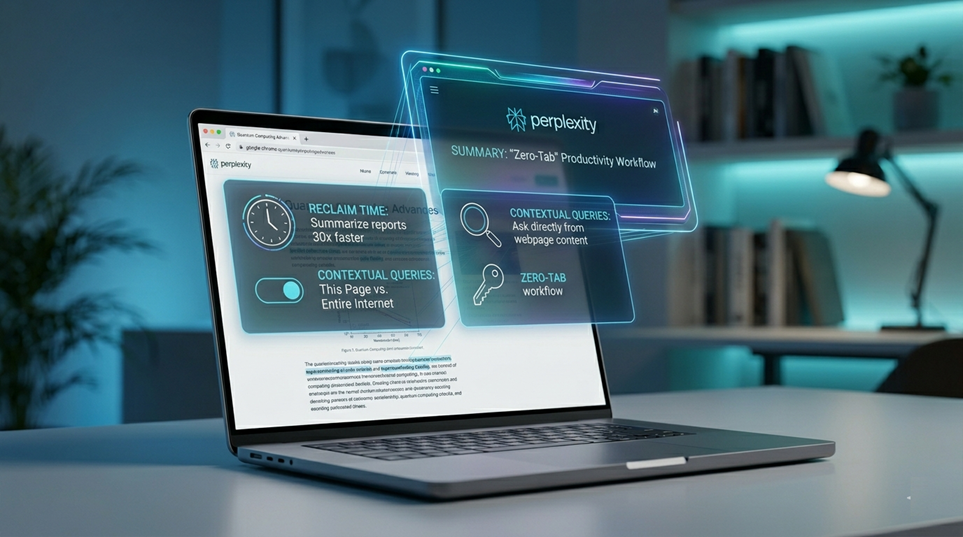
But what if your browser didn’t just display pages, but actually understood them? Enter the Perplexity AI Extension for Chrome. It’s not just a utility; it’s a workflow disruptor that turns your browser from a simple window into a high-octane research engine.
The Death of the Infinite Tab: Why Your Browsing Workflow is Broken
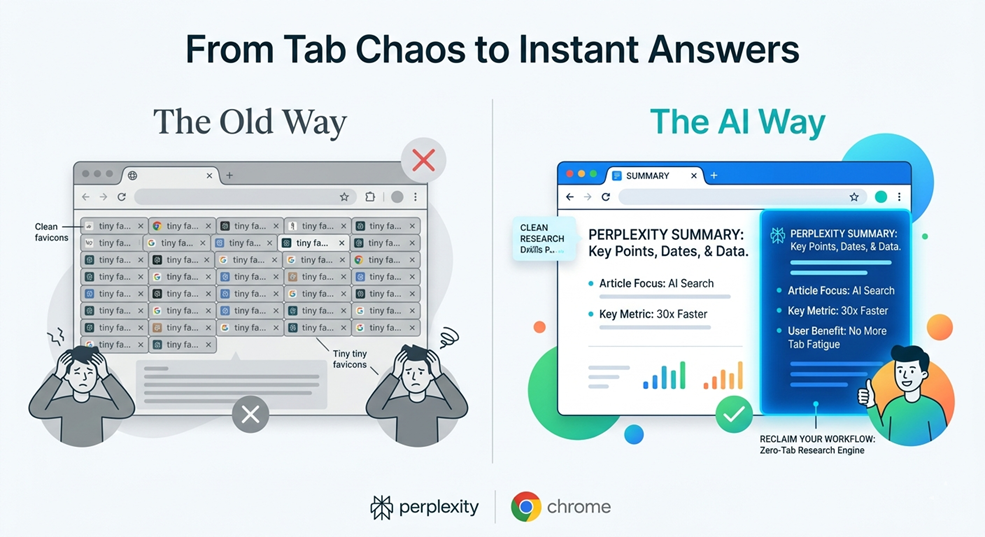
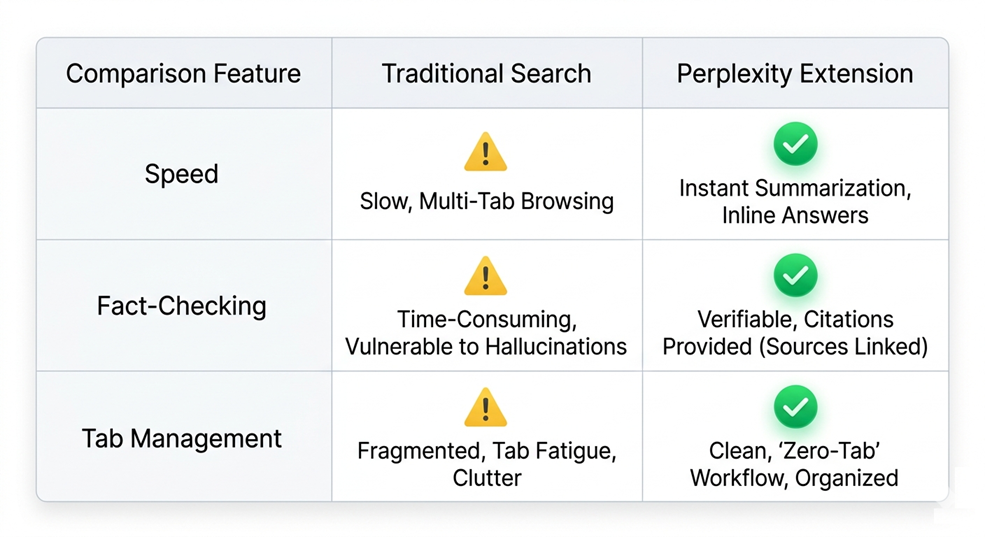
Traditional search engines have conditioned us to hunt and gather. We type a query, open five different links, scan through fluff-filled intros, and hope to find a nugget of truth. It’s a fragmented, exhausting process. For professionals in the SEO and digital marketing space, time isn’t just money—it’s the ability to scale.
The Perplexity extension flips the script. Instead of forcing you to hunt for information across the web, it brings the answers directly to the page you’re already on. It’s like having a brilliant research assistant sitting on your shoulder, ready to whisper the exact answer you need without you ever having to look away from your work.
What is the Perplexity AI Extension for Chrome ?
At its core, the Perplexity Chrome extension is a bridge between the vast, chaotic web and the precise power of Large Language Models (LLMs). While most people use the Perplexity website as a “Google Killer,” the extension integrates that power into your daily navigation.
More Than Just a Search Bar
Don’t mistake this for a simple search shortcut. It’s an interactive layer that sits on top of your browser. It leverages real-time web indexing—meaning it knows what happened five minutes ago, not just five months ago—and combines it with an interface designed for speed.
The “Zero-Tab” Productivity Workflow: A Professional’s Secret Weapon
Imagine a world where you never have to open a new tab to verify a fact or summarize a long-form guide. That is the “Zero-Tab” reality. For anyone managing high-volume digital projects, this is a game-changer.
Instant Summarization: Reading 3,000 Words in 30 Seconds
We’ve all landed on those massive 3,000-word industry “mega-guides” that are 80% fluff and 20% value. Instead of scrolling through the “What is SEO?” section for the thousandth time, you can hit the Perplexity extension and ask for a summary. Within seconds, you get a bulleted list of the core arguments, data points, and conclusions. You’ve just reclaimed twenty minutes of your life.
Contextual Queries: Interrogating Your Current Tab
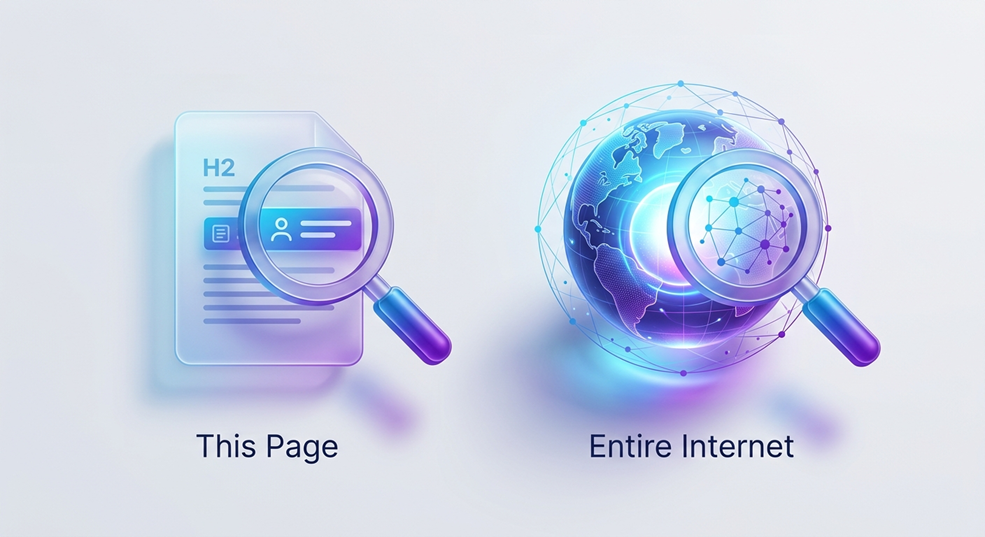
This is where the magic happens. The extension isn’t just searching the web; it’s “reading” your active tab. You can ask questions specific to the content on your screen.
“This Page” vs. “Entire Internet” Toggle
The extension features a simple but powerful toggle. Want to know what the entire internet says about a topic? Set it to “All.” Want to know exactly what this specific whitepaper says about conversion rates? Set it to “This Page.” It allows you to interrogate a document like a lawyer cross-examining a witness.
Breaking the “Cmd+T” Habit: The Toolbar Shortcut
For most of us, “Cmd+T” (or Ctrl+T) is a muscle memory reflex. We open a new tab for every tiny curiosity. The Perplexity extension breaks this cycle. By pinning the extension to your toolbar, you create a central hub for all inquiries. It keeps your workspace clean and your focus sharp. Think of it as a cognitive decluttering tool.
The Meta Perspective: Shifting from SEO to GEO (Generative Engine Optimization)
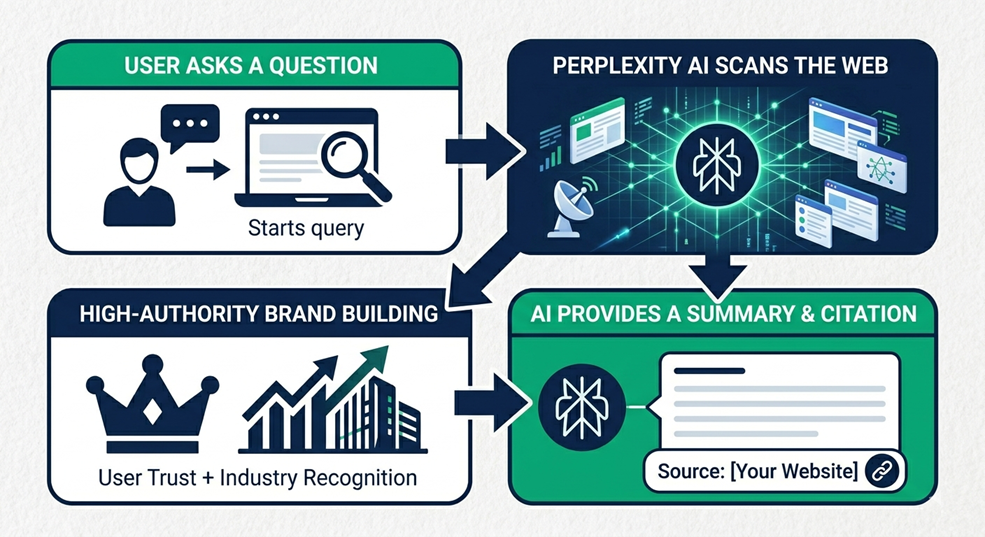
As digital marketers, we have to look under the hood. The rise of this extension isn’t just a win for productivity; it’s a signal of a massive shift in the search landscape. We are moving from Search Engine Optimization to Generative Engine Optimization (GEO) and Answer Engine Optimization (AEO).
How Generative Engines are Redefining User Intent
Users are increasingly consuming “summarized” content. They aren’t always clicking through to your site; they are getting the answer from the Perplexity popup. This might sound scary for traffic, but it’s an evolution. User intent is shifting from “show me a list of sites” to “give me the answer now.”
The Strategy Insight: Are You “Crawlable” for AI?
If Perplexity can’t summarize your article or cite your data in its extension popup, you are effectively invisible to a growing segment of power users. Your content needs to be structured, authoritative, and clear enough for an AI to parse and present. Being cited in that little extension window is the new “Position Zero.”
Extension vs. Browser vs. Traditional Search: Why the Plugin Wins
You might ask, “Why not just keep a ChatGPT tab open?” or “Why not use the Perplexity web app?” The answer lies in the friction.
The “Comet” Factor: Speed and Precision
Perplexity uses “Comet,” their specialized browsing technology, which is optimized for speed and accuracy within the Chromium environment. It’s faster than jumping between tabs and more context-aware than a standalone chatbot.
Inline Citations: Fact-Checking at Flash Speed
Unlike some AI tools that “hallucinate” facts with total confidence, Perplexity provides inline citations. In the extension window, you’ll see small numbers next to claims. Hover over them, and you see the source. This allows for instant verification—essential for anyone writing high-stakes content.
Practical Use Cases for Digital Marketers and SEO Strategists
Let’s get tactical. How do you actually use this thing to beat your competition?
Stealthy Competitor Analysis
Land on a competitor’s new service page. Use the extension to ask: “What are the primary pain points this page addresses, and what is their unique selling proposition?” In seconds, you have a distilled competitive brief without manually taking notes.
Rapid-Fire Content Ideation
Reading a great article on a niche topic? Ask the extension: “Based on this page, what are five related questions people are asking on Reddit or Quora?” Boom—you have your next five blog post ideas.
Technical SEO “Gut Checks”
Need to know if a page is properly optimized? Ask: “What are the primary H1 and H2 tags on this page, and do they mention [Keyword]?” It’s a quick way to audit a page without digging into the “View Source” code.
Why Being “Cited” is the New Ranking #1
In the age of AI, the click-through rate (CTR) is changing. If the Perplexity extension pulls your site as a source, you gain massive brand authority. Users see your URL as the “verified source” for the AI’s answer. This builds a level of trust that a standard blue link simply can’t match.
Conclusion: Embracing the AI-Native Browsing Era
The Perplexity AI extension is more than a convenience; it’s a glimpse into the future of the internet. It transforms the browser from a passive viewer into an active participant in your research. For the team at Seabuck Digital and our peers in the industry, staying ahead means adopting these tools early.
Don’t just browse the web—command it. Turn your browser into a research engine today and stop drowning in tabs.
Has AI changed your browsing habits yet? Are you finding yourself clicking fewer links but getting better answers? Let’s talk about it in the comments below!
FAQs
1. Is the Perplexity Chrome Extension free to use?
Yes, the basic version of the extension is free. It provides powerful summarization and search features without requiring a paid subscription, though a Pro account offers more advanced model options.
2. Does it work on PDFs opened in Chrome?
Absolutely. If you open a PDF in your Chrome browser, you can use the “This Page” toggle to summarize the document or ask specific questions about the data within the PDF.
3. Is it better than the ChatGPT Chrome extension?
While both are great, Perplexity is specifically built for search and citations. If you need real-time facts and verified sources, Perplexity usually has the edge over ChatGPT’s general knowledge base.
4. Will using this extension hurt my site’s SEO?
It doesn’t hurt your SEO, but it changes how you should think about content. You want your content to be “AI-friendly” so that these extensions cite you as the primary source for their answers.
5. Can I use it on browsers other than Chrome?
While designed for Chrome, it works on most Chromium-based browsers, including Microsoft Edge and Brave. Just head to the Chrome Web Store to install it.