1. Introduction: The Academic Trust Crisis in the AI Era
Let’s be completely honest for a moment. We have all been there. It’s 2:00 AM, the cursor is blinking relentlessly on a blank Google Doc, and you have a massive research paper due in exactly six hours. In a moment of desperation, you turn to a traditional AI chatbot. You type in a complex prompt, and within seconds, it spits out beautiful, authoritative paragraphs complete with perfect academic citations. You breathe a sigh of relief, copy-paste the text, and hit submit.
Then comes grading day, and your professor calls you into their office. Those flawless sources? They don’t exist. The AI completely hallucinated them.
1.1. The Fatal Flaw of Traditional LLMs
Traditional Large Language Models (LLMs) are essentially super-powered autocomplete systems. They are trained to predict the next logical word in a sentence, not to verify historical truth. When you ask them for academic sources, they often generate realistic-sounding titles, fake journal volumes, and non-existent URLs. They prioritize looking right over being right.
1.2. The Nightly Nightmare: Ghost Citations and Failed Papers
Using these “ghost citations” isn’t just risky; it’s a fast track to failing a class or triggering an academic integrity review. Professors are hyper-aware of AI-generated fluff. When a tool invents a study that was never published, your credibility vanishes instantly. You don’t need a creative storyteller when your academic career is on the line; you need a relentless fact-checker.
1.3. Enter Perplexity Student: Your Hallucination-Free Study Partner
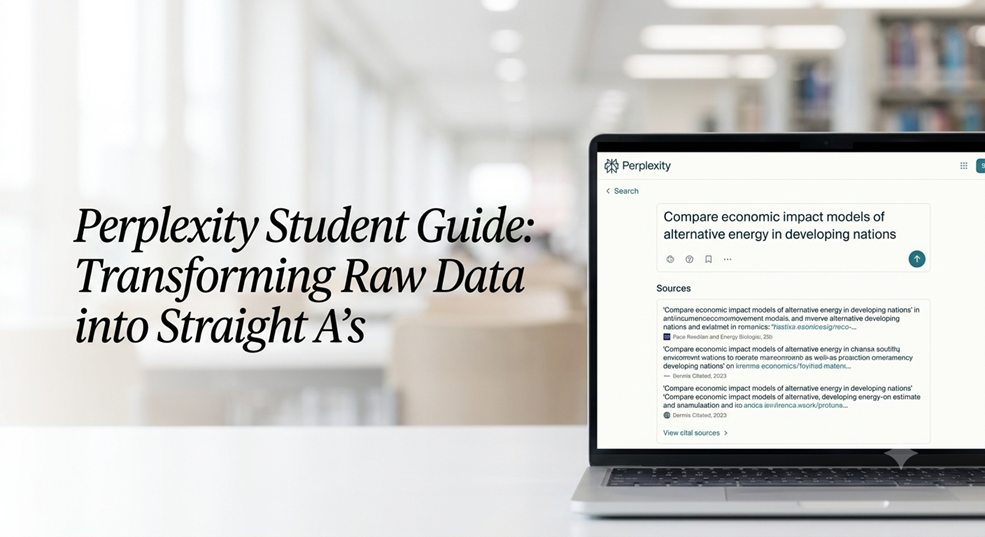
This is exactly where the Perplexity Student ecosystem changes the game. Perplexity isn’t a shortcut to bypass thinking; it’s an elite, citation-backed research assistant. Instead of pulling answers out of a black box of static training data, it cross-references the live web, checks peer-reviewed repositories, and leaves a transparent, clickable paper trail for every single sentence it generates. It bridges the gap between AI speed and academic rigor.
2. Demystifying Perplexity AI: The Search Engine with a Brain
Think of Perplexity as a hybrid creature: half cutting-edge search engine, half elite research analyst. It doesn’t replace your search bar; it revolutionizes what happens after you click enter.
2.1. Why It’s Different from ChatGPT and Gemini
While standard bots converse based on what they remember from their past training, Perplexity treats every query like a fresh investigation. It instantly scours the internet, analyzes dozens of top-tier sources, synthesizes the information into a cohesive answer, and anchors every single claim to a specific, numbered footnote. If you see a claim, you can click the number and view the exact primary source material.
2.2. The Power of Live Web Indexing and Real-Time Tracking
Academics move fast, and world events move faster. Because Perplexity utilizes live web indexing, it can reference studies published five minutes ago, tracking developing news, scientific breakthroughs, or economic shifts in real time. It converts messy, sprawling search results into structured, reliable intelligence.
3. Pillar 1: Accessibility, Pricing, and the Frictionless Setup
Getting access to top-tier AI tools shouldn’t require trading off your textbook budget. Perplexity has built a dedicated pipeline specifically designed to put industrial-grade research tools into student hands without the financial strain.
3.1. What Exactly is Perplexity Education Pro?
Perplexity Education Pro is a specialized subscription tier tailored for academic institutions. It unlocks advanced AI models (like Claude 3.5 Sonnet and GPT-4o), allows unlimited file uploads (perfect for reading 50-page PDFs), grants access to deep research modes, and offers advanced visualization tools. It takes the standard Perplexity experience and supercharges it for heavy academic lifting.
3.2. Step-by-Step Guide: How to Verify Your Student Status
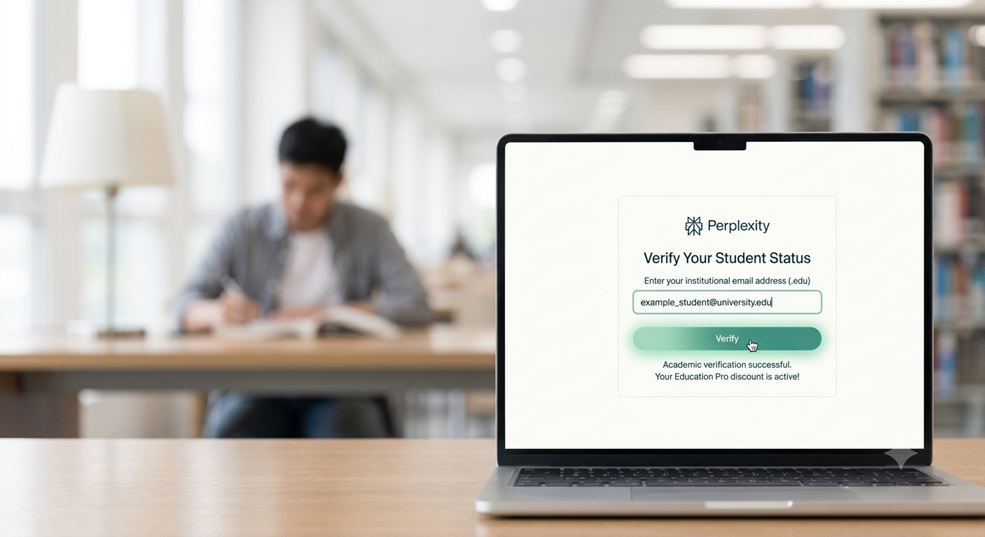
Unlocking this setup is straightforward, but you need to follow the official verification process carefully to claim your academic benefits.
3.2.1. The .Edu Fast Track
The quickest way to get started is by visiting the official student portal or help center. If your school uses a standard .edu or institution-verified email address, the process is virtually instant:
- Go to the Perplexity Student verification page.
- Sign up or log in using your official school email credentials.
- The system will automatically recognize the academic domain and update your account status.
3.2.2. Manual Verification and Alternative Proofs
What if your school doesn’t offer a .edu email string, or you are studying internationally? Don’t worry. You can submit manual documentation to the Perplexity help center. Uploading a clear photo of your current student ID card, a recent tuition receipt, or an official enrollment letter from your registrar will allow their support team to manually provision your academic status.
3.3. Scoring the Ultimate Perplexity Student Discount
Once verified, you unlock massive savings. Perplexity frequently runs campus-wide cohorts and direct student discount programs that slash the price of Pro features significantly—sometimes even offering months of premium access completely free if enough students from your specific university sign up. It turns a premium tech luxury into an accessible everyday study utility.
4. The Comet Browser Integration: Supercharging On-the-Go Research
Research doesn’t just happen inside a single tab. You are constantly bouncing between JSTOR articles, news publications, and university databases. That is where the Comet integration comes into play.
4.1. What is Comet and How Does It Serve Students?
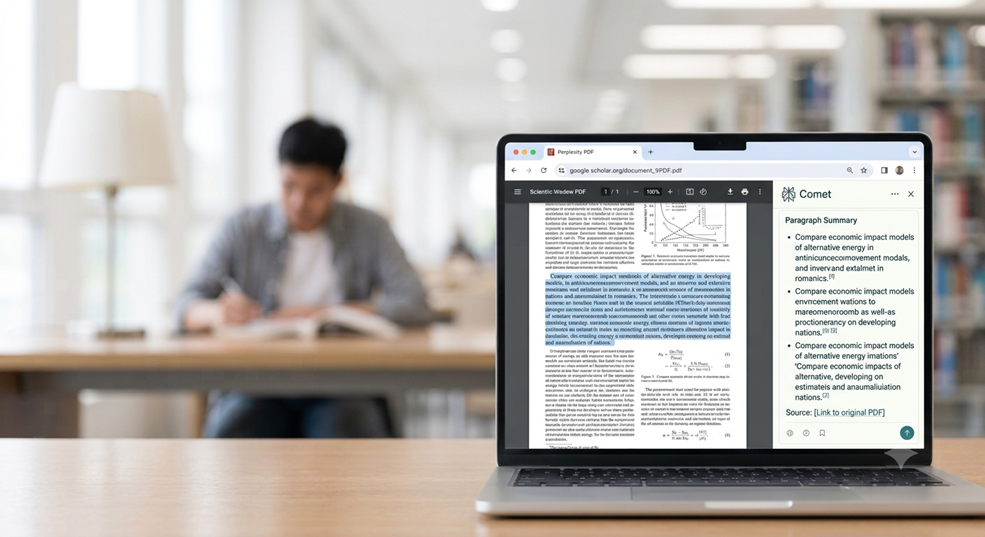
Comet is Perplexity’s dedicated browser layer built to live right alongside your daily browsing flow. Instead of constantly copying text, switching tabs, opening an AI window, and pasting it back in, Comet brings the analytical power of Perplexity directly onto the webpage you are currently reading.
4.2. Effortless Sourcing: Turning Casual Browsing Into Citable Evidence
Imagine reading a dense, confusing economics article. With Comet activated, you can highlight a complex paragraph and ask Perplexity to explain the concept, find contradicting viewpoints, or extract the primary data points instantly. It allows you to build an active, rolling bibliography while you read, turning passive web browsing into an organized research collection.
5. Pillar 2: Mastering Perplexity Spaces for Organization and Deep Work
If you use AI as a simple one-off chat box, you are missing out on its greatest superpower. True academic mastery requires structure, and that is exactly what Perplexity Spaces provides.
5.1. Building Permanent, Structured Digital Libraries
Think of a Perplexity Space as a dedicated, private research room for a specific class. You can create a Space titled “History 301: The Cold War” or “Bio 110: Genetics.” Inside that specific Space, you can upload your syllabus, relevant lecture slides, and key PDF research papers.
[Your Perplexity Space]
├── Uploaded Files (Syllabus, PDFs, Lecture Slides)
├── Set System Instructions (e.g., “Use MLA format, prioritize peer-reviewed data”)
└── Memory Layer (Remembers previous queries and context across all chats)
Every single prompt you run inside that Space will only draw from and contextualize against those specific materials. It creates a localized, intelligent brain that understands the exact context of your course.
5.2. Moving Beyond the Single-Prompt Loop
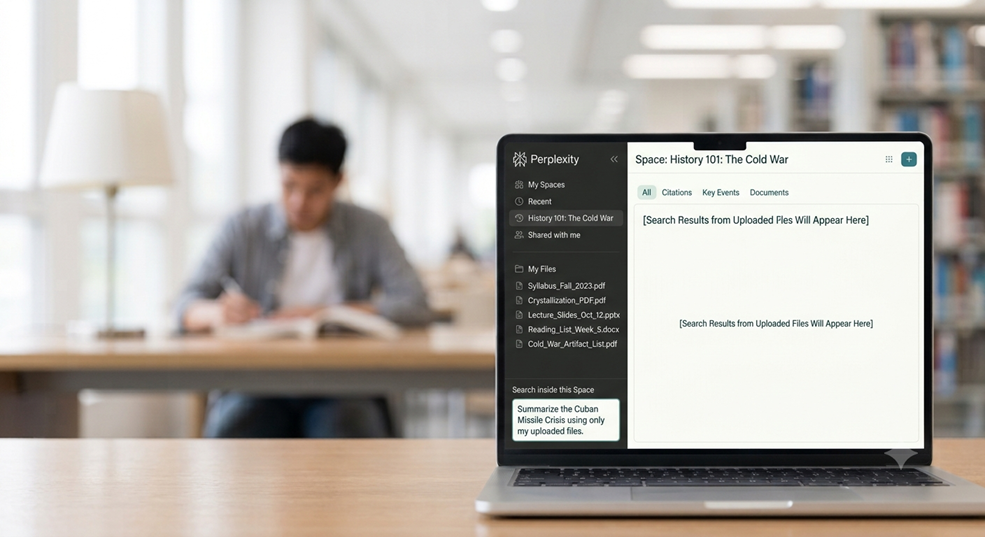
In a standard chat, the AI forgets everything once you close the tab. Within a Space, the context remains persistent. You can ask a question on Monday, come back on Friday, and reference the previous answer flawlessly. You no longer have to waste time re-uploading documents or pasting the same background context over and over again.
5.3. Collaborating on Group Projects Without the Chaos
Group projects are historically a logistical nightmare. One person does all the work, someone else loses the shared doc, and the final paper reads like it was written by five different alien species. Spaces allows you to invite your classmates into a unified, collaborative research environment. Your entire team can query the same pool of uploaded documents, share found insights, and assemble a cohesive, citation-backed outline together in real time.
6. Pillar 3: The Advanced Academic Workflow Masterclass
Let’s look at how to practically apply this system to your weekly academic routine to maximize your output while saving hundreds of hours of manual labor.
6.1. Deconstructing Complex Syllabi and Dense Research Papers
At the beginning of the semester, upload your entire course syllabus into a dedicated Space. You can ask Perplexity: “Look at my upcoming deadlines for the next 12 weeks. Break this down into a weekly reading schedule and highlight which weeks will have the heaviest workload based on assignment point values.”
When faced with a daunting, 60-page academic paper filled with dense, impenetrable academic jargon, drop the PDF into your Space and use this specific prompt workflow:
“Summarize the primary methodology of this paper, isolate the core dataset used, list any limitations identified by the authors, and present the final conclusion in three simple bullet points.”
Within thirty seconds, you have a clear, conceptual map of the paper before you even read the first sentence.
6.2. Generating Tailored Study Guides and Interactive Flashcards
Do you have a brutal midterm coming up? Don’t just stare at your highlighted textbook pages hoping for passive absorption. Active recall is the gold standard of learning.
Ask Perplexity to analyze your uploaded lecture notes and generate a customized study guide. You can prompt it to create interactive, text-based flashcards: “Give me 15 challenging conceptual questions based strictly on Chapter 4 of my notes. Provide the questions first, wait for my response, and then score my answers while correcting any misunderstandings using the primary source text.” You have transformed an AI search engine into an active, adaptive, personal tutor.
7. Conclusion: Upgrading to an Elite Academic Collaborator
The traditional approach to using AI in academics is completely broken. Treating AI as a sneaky way to generate unverified blocks of text is a high-stakes gamble that inevitably ends in hallucinations, factual errors, and compromised academic integrity.
By upgrading to the Perplexity Student framework, you are shifting from a risky shortcut to a precise, citation-backed workflow. You leverage the platform’s real-time web indexing, the frictionless capture capabilities of the Comet integration, and the structural organization of permanent Spaces to build a bulletproof research system. You aren’t cutting corners; you are simply building a faster, smarter, and infinitely more reliable bridge from raw data to academic excellence. Protect your integrity, supercharge your research, and let the hallucinations become a thing of the past.
8. Frequently Asked Questions (FAQs)
Q1: Can professors detect if I use Perplexity Student for my research papers?
Perplexity generates factual text and provides the exact real-world citations to back it up. If you use it to find sources, read those sources, and write your paper using your own voice, you are engaging in clean, legitimate academic research. However, if you copy and paste synthesized text blocks verbatim, standard AI writing detectors may flag the phrasing structures. Use Perplexity to find, analyze, and map out your information—but always write the final words yourself.
Q2: What happens if Perplexity provides a citation that looks broken or incorrect?
While Perplexity is explicitly engineered to minimize errors by using live search queries, no software system is flawless. The beauty of Perplexity is that every single citation is a clickable link. Always click through to the primary source to quickly verify that the text accurately supports the specific claim before hardcoding it into your final draft.
Q3: Is the Perplexity Education Pro discount open to high school students?
Yes. As long as you possess a valid school-issued email address or can provide official, verifiable documentation showing active enrollment in an accredited educational program (such as a current student identity card), you can apply for the verification process through the official Perplexity help center.
Q4: How many files can I upload to a single Perplexity Space?
The specific file upload limits vary depending on whether you are using the free tier or the premium Education Pro account. Upgrading to the Education Pro tier unlocks significantly larger, high-volume file caps, allowing you to upload multiple heavy textbooks, datasets, and dense PDF compilations into a single workspace without hitches.
Q5: Can I export my search threads and research from Spaces directly into citation managers like Zotero or Mendeley?
While you cannot directly sync accounts with a single click yet, Perplexity makes exporting data incredibly simple. Every thread and synthesis inside a Space includes a clean, shareable link and a markdown text format. You can copy the generated citation lists or use the Comet browser extension to capture the source URLs directly into your preferred bibliography manager within seconds.